Understand
We review your workflow, users, existing tools, and the result you need.

business automation
Connect the steps between an inquiry, a customer record, an appointment, and the next action. TwoQM builds workflows that make responsibility and status clear.
Tell Us About Your WorkflowWhat we can deliver
Scope & operating costs
We start with one repeatable workflow and identify the systems, record owners, consent requirements, timing, and failure cases. We agree which steps run automatically and which need approval. Integrations depend on provider access and API limits. Hosting, messaging, and provider subscriptions are identified in the scope; we do not promise a fixed saving before measuring the work.
Relevant product experience
Central’s website inquiry and support workflows show how a request can preserve its context and reach the right business workspace. Your automation is designed around your process and connected tools.
See TwoQM Central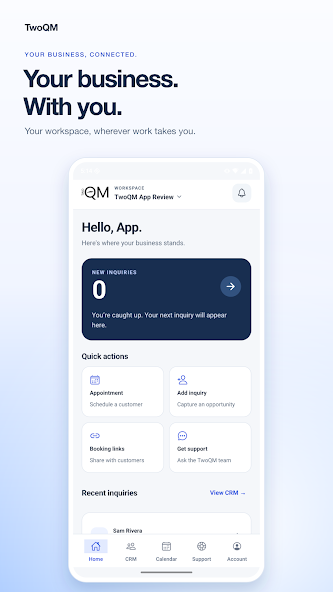
How projects work
We review your workflow, users, existing tools, and the result you need.
We define deliverables, price, dependencies, acceptance checks, and ongoing costs.
You review the important tasks as the website, application, or integration takes shape.
We verify the agreed workflows, hand over documentation, and confirm support responsibilities.
Before you start
A repeated handoff with a clear input and owner: assigning new inquiries, reminding staff about follow-up, or keeping approved records synchronized.
We define retries, duplicate prevention, staff alerts, and manual recovery. A failed step must remain visible rather than silently appearing complete.
Often, yes. We check supported integrations and permissions before proposing replacement or migration.